Camera Settings
DJI only
During the flight, control the drone's camera directly in LINIAair.
Camera Controls
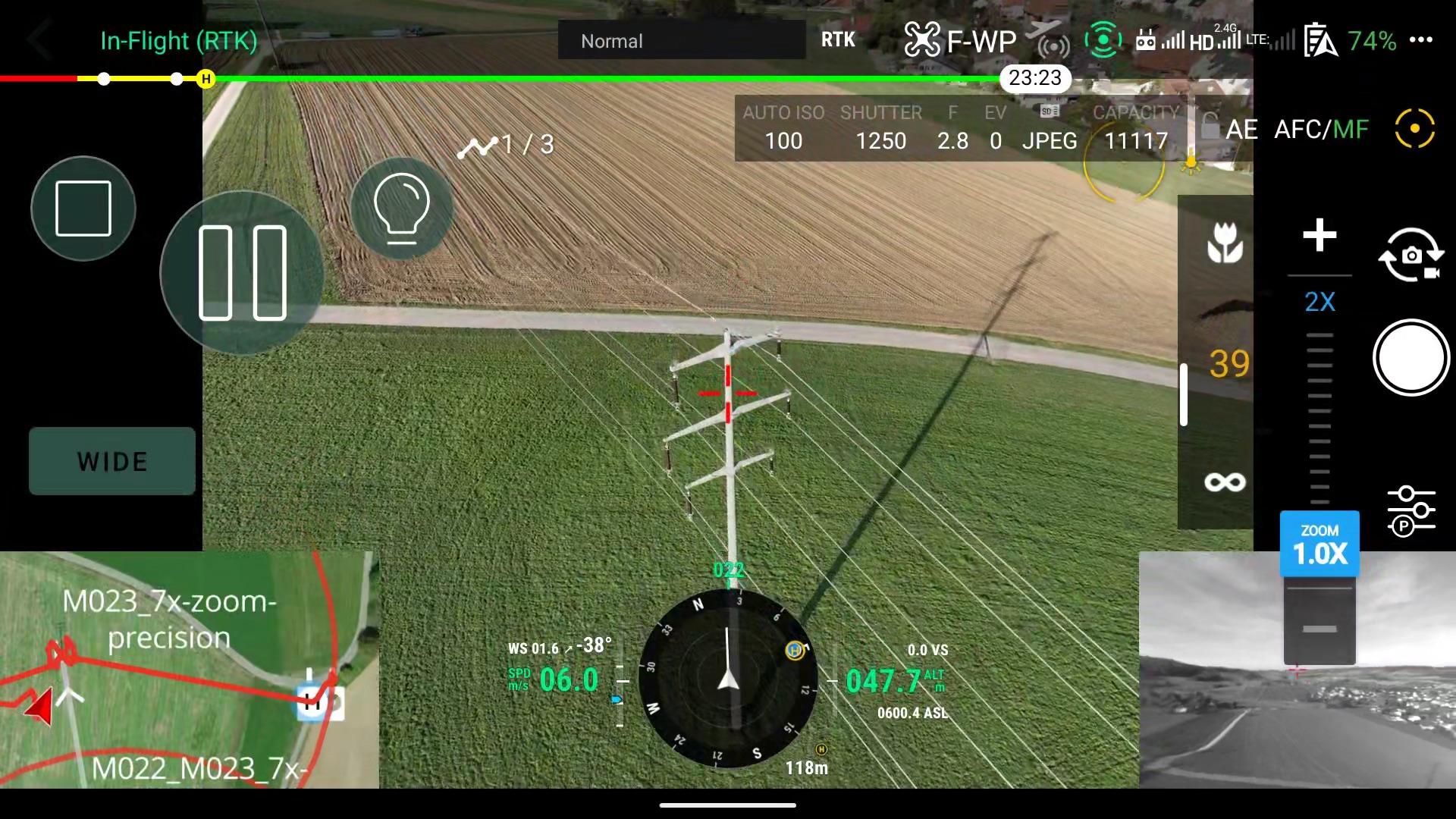
Lock/unlock auto exposure
Toggle auto/manual focus
Toggle focus mode
Toggle video/photo
Take photo
Focus value
Zoom
ISO settings
Switch camera (wide, zoom, thermal)
- Lock/unlock auto exposure
- Toggle auto/manual focus
- Toggle focus mode
- Toggle video/photo
- Take photo
- Focus value
- Zoom
- ISO settings
- Switch camera (wide, zoom, thermal)
Focus Distance From Mission
Instead of using autofocus, LINIAair can set the camera focus to the distance to the point of interest from the mission. This keeps even slim objects like cables sharp. See the comparison.
- Disabled by default. To turn it on, enable Set focus distance from mission in the drone settings.
- Works with DJI native cameras. Phase One cameras always use the focus distance from the mission.
- Before taking a photo, LINIAair switches the camera to manual focus and sets the focus distance.
info
The camera shows MF (manual focus). This is expected: LINIAair updates the focus automatically.