MAVLink Drone Settings
MAVLink only
To open, tap Drone in the settings.
warning
Each MAVLink drone type needs its own configuration. Use the values from the page of your drone, e.g. Acecore ZOE.
The settings are stored in the app only. Configure them again after reinstalling the app, on a new controller or for a new drone.
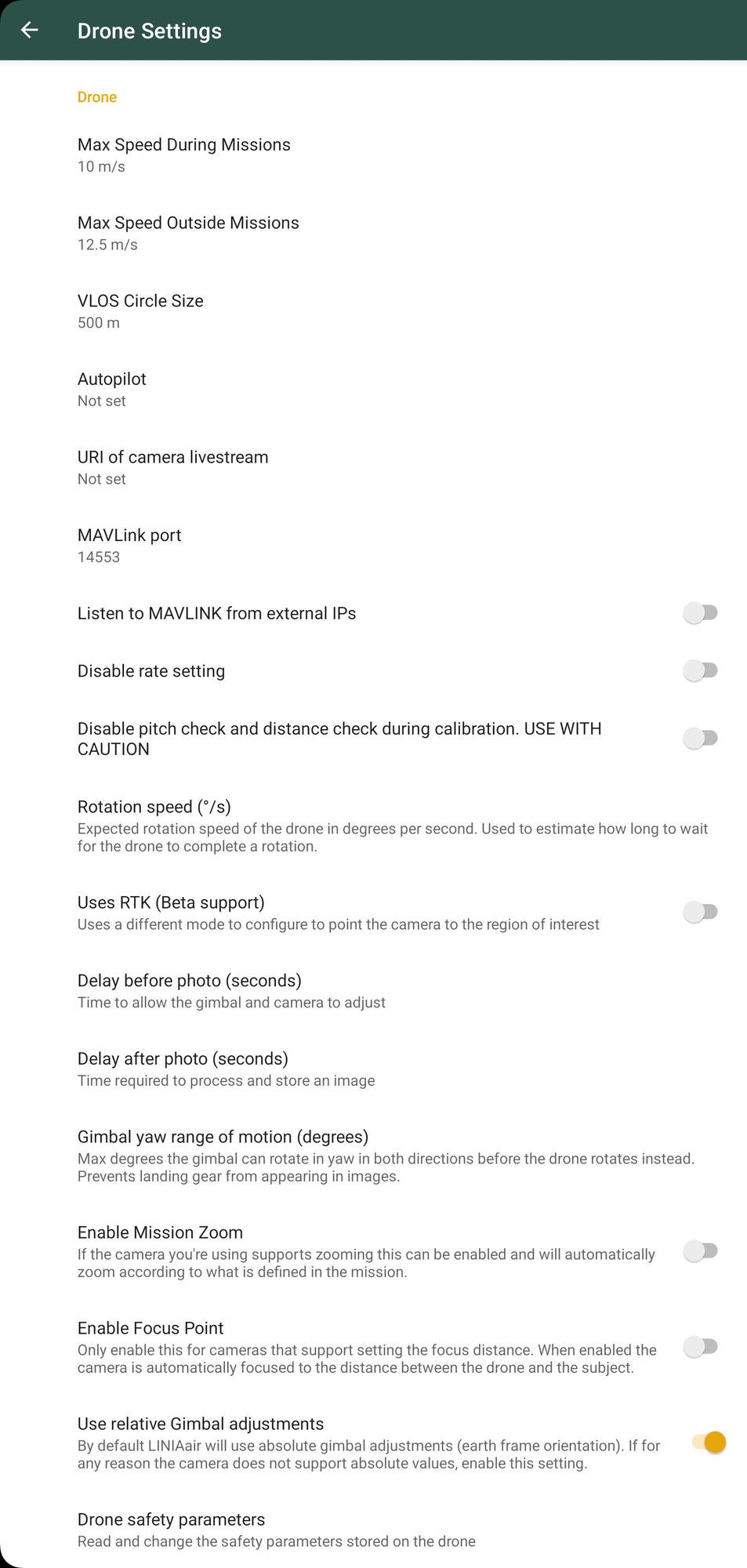
All Settings
| Setting | Description |
|---|---|
| Max Speed During Missions | Limits the speed only during the automated flight in a mission. |
| Max Speed Outside Missions | Limits the speed outside of missions, e.g. when flying to the calibration point. |
| VLOS Circle Size | Radius of the visual line of sight (VLOS) circle on the map. |
| Autopilot | Flight controller software of the drone, e.g. ArduPilot. |
| URI of camera livestream | Address of the camera video stream, provided by the drone manufacturer. |
| MAVLink port | Port on which LINIAair receives MAVLink messages from the drone. |
| Listen to MAVLINK from external IPs | Accept MAVLink messages from other devices in the network, e.g. the drone's ground station. |
| Disable rate setting | Stops LINIAair from setting the message rates on the drone. Only enable if the drone does not support it. |
| Disable pitch check and distance check during calibration | Skips the gimbal pitch and distance checks during the calibration. Use with caution, only if these checks fail although the drone is set up correctly. |
| Rotation speed (°/s) | Expected rotation speed of the drone. Used to estimate how long to wait for a rotation to complete. |
| Uses RTK (Beta support) | Uses a different mode to point the camera at the region of interest. Only enable if the drone supports RTK. |
| Delay before photo (seconds) | Time for the gimbal and camera to adjust before taking a photo. Increase it if images are blurry. |
| Delay after photo (seconds) | Time to process and store an image before moving on. |
| Gimbal yaw range of motion (degrees) | How far the gimbal turns sideways before the drone rotates instead. Keeps the landing gear out of the images. |
| Enable Mission Zoom | Zooms the camera as defined in the mission. Only for cameras with optical zoom. |
| Enable Focus Point | Focuses the camera on the distance to the inspected object. Only for cameras that support setting the focus distance. |
| Use relative Gimbal adjustments | Moves the gimbal relative to the drone instead of in absolute (earth frame) angles. Enable if the camera does not support absolute values. |
| Drone safety parameters | Read and change the safety parameters stored on the drone. |