Settings
To open the settings, tap the gear icon in the main menu.
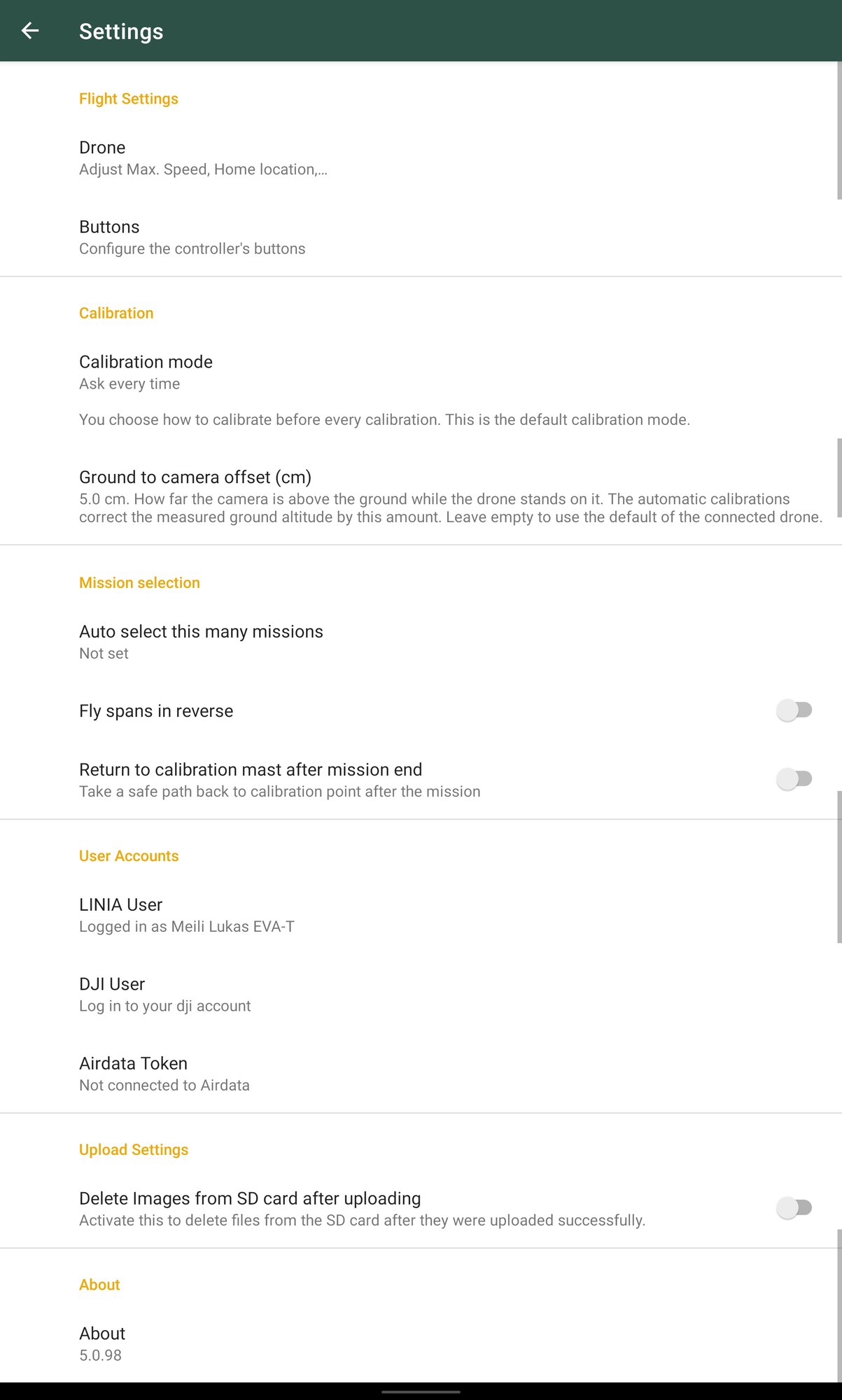
All Settings
Flight Settings
| Setting | Description |
|---|---|
| Drone | Drone specific settings, see DJI Drone Settings and MAVLink Drone Settings. |
| Buttons | Assign functions to the controller buttons, see Hardware Buttons. |
Calibration
| Setting | Description |
|---|---|
| Calibration mode | Default selected calibration mode. Default: Ask every time. |
| Ground to camera offset (cm) | Offset from the ground to the drone's camera. Automatic calibrations correct the measured altitude by this value. Leave empty to use the default of the connected drone. |
Mission selection
| Setting | Description |
|---|---|
| Auto select this many missions | Set a number to enable the  button on the map. Example: set it to 5, select a starting mission in the main menu, then tap to select 5 missions. Default: not set. |
| Fly spans in reverse | Fly span missions in the opposite direction. The arrows on the map show the current direction. |
| Return to calibration mast after mission end | When the mission is finished, the drone automatically flies back to the calibration point, safely along the flown spans. |
User Accounts
| Setting | Description |
|---|---|
| LINIA User | Your LINIApower account. Shows who is logged in. Tap to log out. |
| DJI User | Log in to your DJI account. |
| Airdata Token | Connect LINIAair to your Airdata account. |
Upload Settings
| Setting | Description |
|---|---|
| Delete Images from SD card after uploading | Deletes the images from the SD card after a successful upload. Only applies when you upload images with LINIAair. |