Mission Management
Overview
This is the main menu of LINIAair. It appears after login.
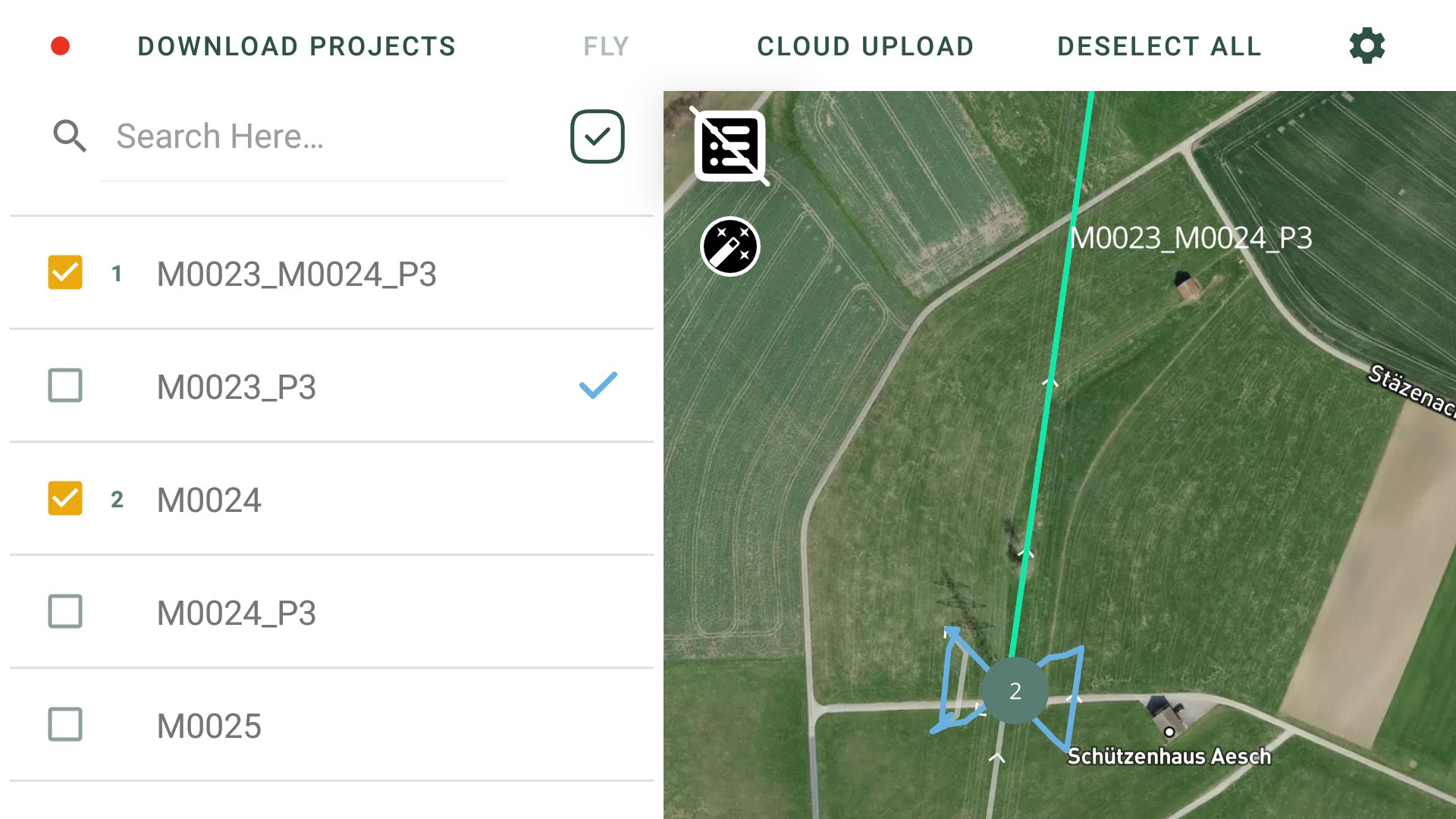
Drone connection indicator
Download projects from LINIApower
info
Only projects you are assigned to in LINIApower are available. Make sure you have at least the Pilot role in the project.
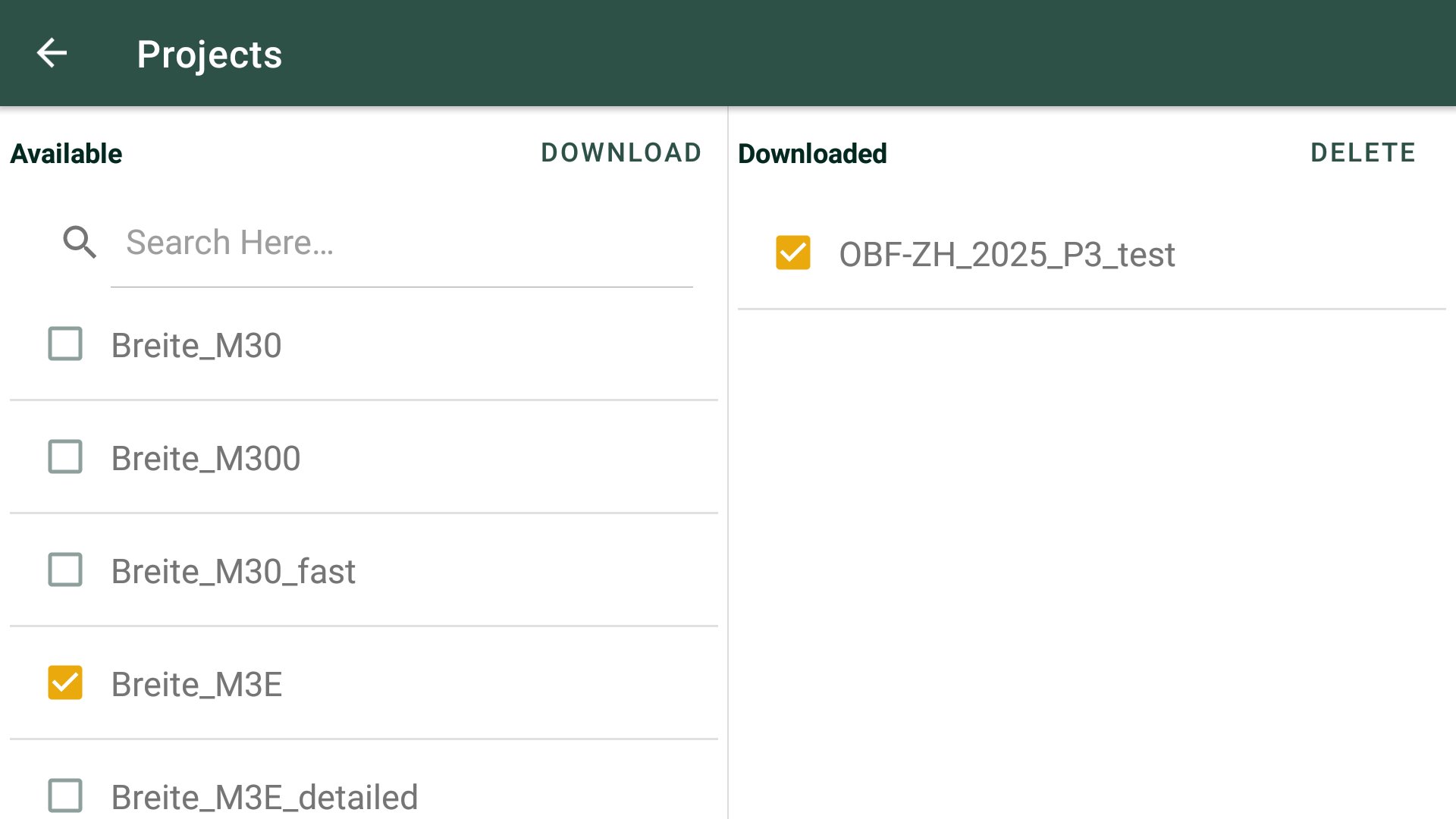
- In the main menu, tap Download projects.
- Under Available, select the projects you need.
- Tap Download.
Downloaded projects appear under Downloaded and in the main menu. To remove projects from the device, select them under Downloaded and tap Delete.
Back to the main menu
Search assigned LINIApower projects
Select projects to download
Download selected projects
Projects on this device
Delete selected projects from this device
- Back to the main menu
- Search assigned LINIApower projects
- Select projects to download
- Download selected projects
- Projects on this device
- Delete selected projects from this device
Mission Selection
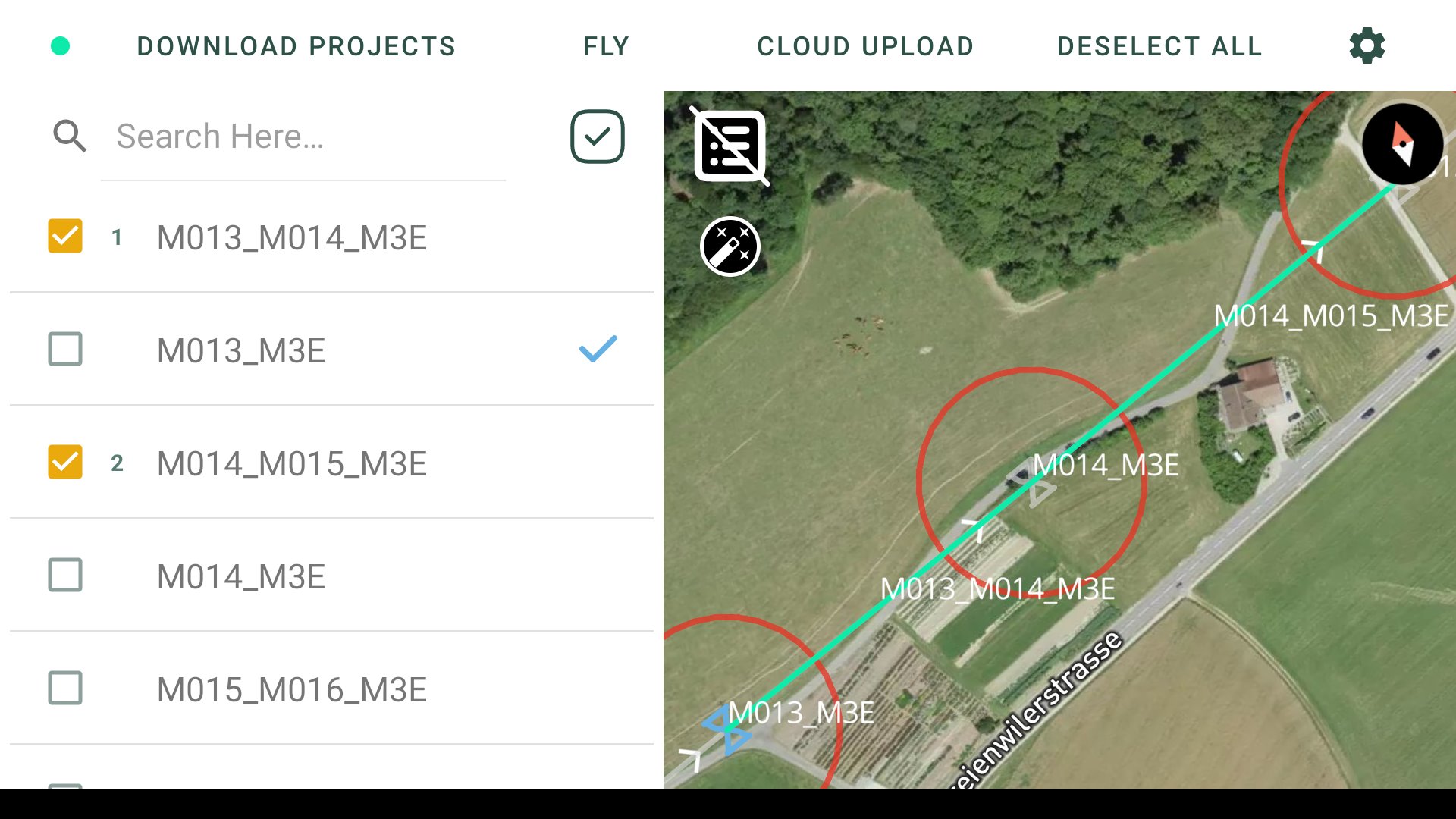
- Select the missions to fly. The number shows the flight order.
- Tap Fly. It is available when the drone is connected (green dot).
Selected mission, the number shows the flight order
Long-press a mission to open it in LINIApower or mark it (in)complete
Hide/show completed missions
Deselect all missions
Selected missions on the map
Tap a mission to select it
Completed missions are blue
- Selected mission, the number shows the flight order
- Long-press a mission to open it in LINIApower or mark it (in)complete
- Fly selected missions
- Hide/show completed missions
- Deselect all missions
- Selected missions on the map
- Calibration point, the circle shows where calibration is possible
- Tap a mission to select it
- Completed missions are blue
Share Location to Phone
Send a location from the map to your phone, e.g. to navigate to the next takeoff location with Google Maps.
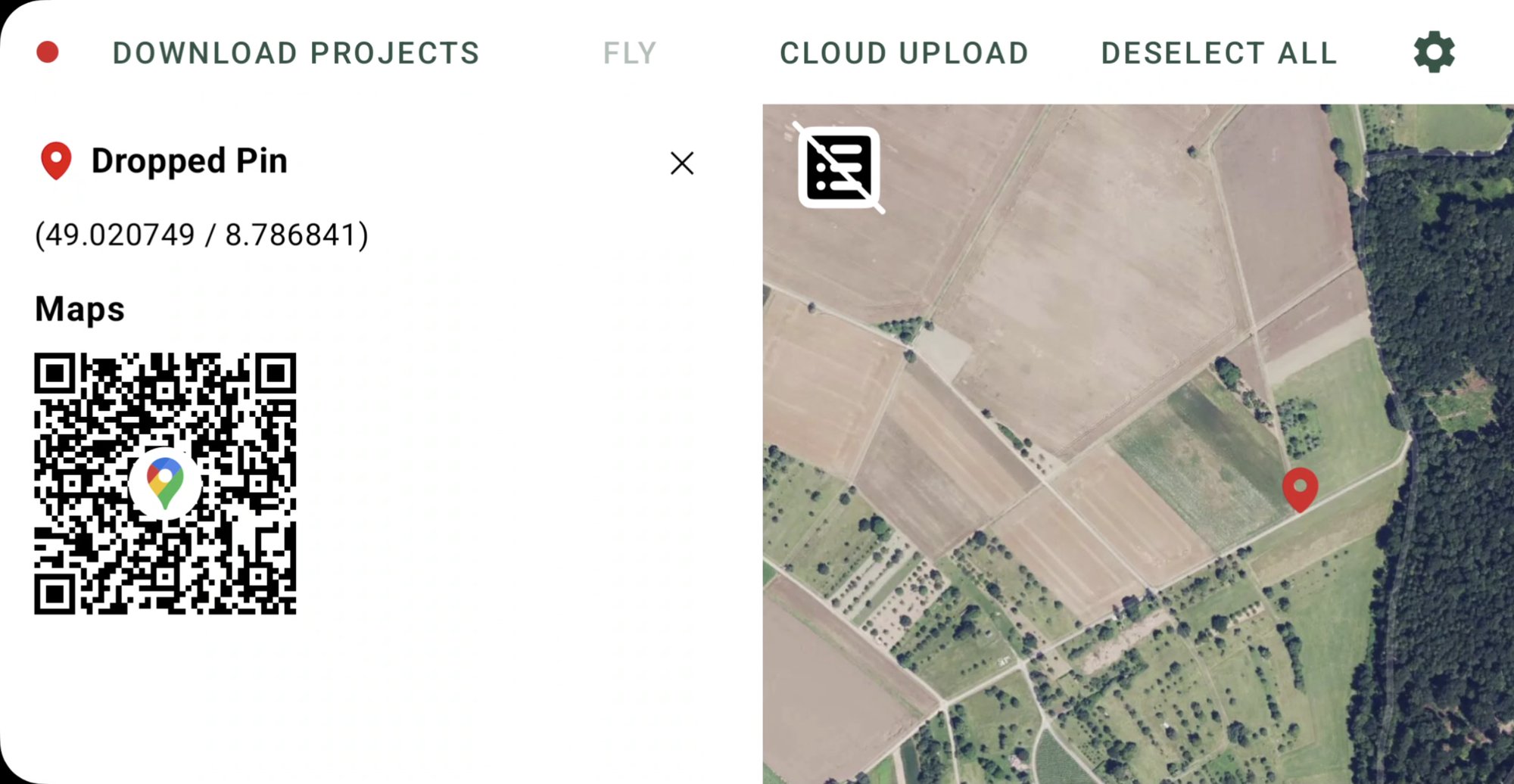
- Long-press the location on the map. A pin is dropped.
- Scan the QR code with your phone camera.
- Google Maps opens the location. Start the navigation.
GPS coordinates
Scan with the phone camera to open in Google Maps
Dropped pin
- GPS coordinates
- Scan with the phone camera to open in Google Maps
- Dropped pin